
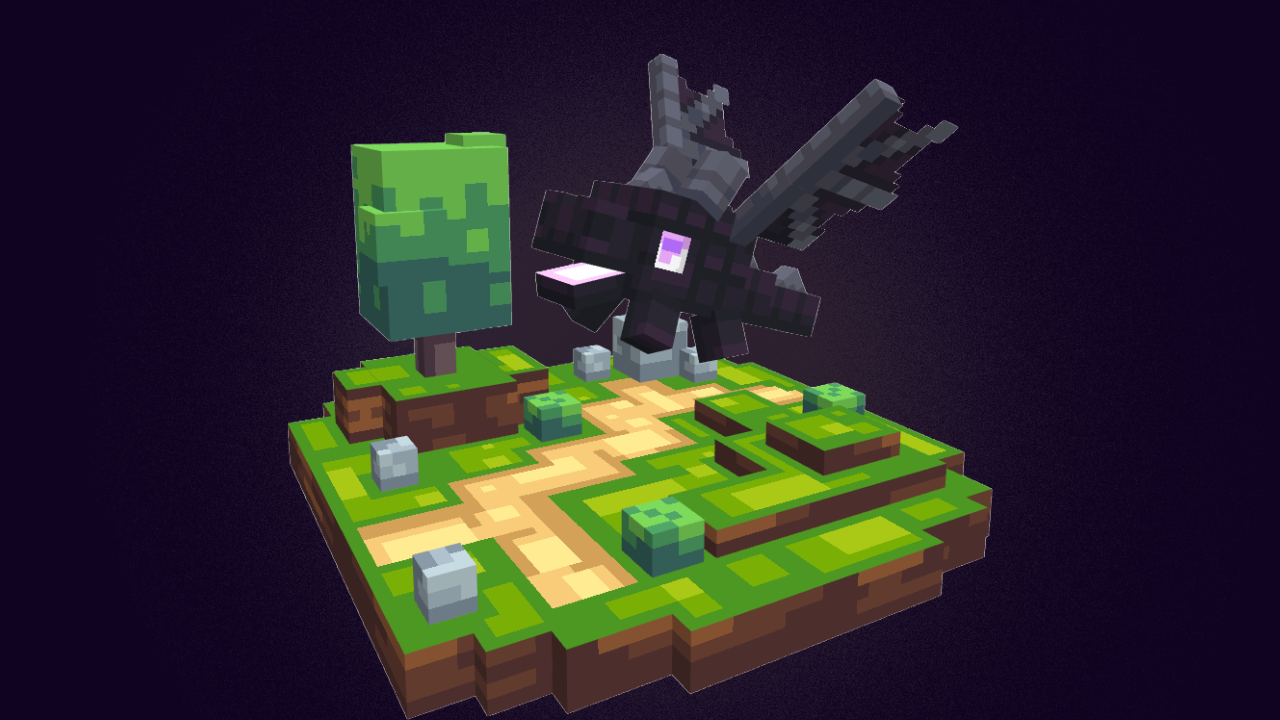
A habitat is a home for your Cubees. A Cubee that lives in one is an Inhabitant: it wanders around its home and earns CuCoins for you the whole time it lives there. Open the Habitat menu from the Habitat tile on the /cubees menu.
What you need
Two things, both from the Habitats License category of the shop (see The Shop):
- A Habitat Slot permit for the plot. Your first habitat needs Habitat Slot 1, your second needs Slot 2, and so on.
- A licence for the design you want. There are eleven designs: Underwater, Cave, Cloudy, Cursed Forest, Desert, Ender, Frozen, Grassland, Magical, Nether and Space. They all work the same way; only the look is different. See Habitat Designs.
In the ready-made shop stock, each design licence costs 2,000 CuCoins, and you need your Slot 1 permit before you can buy one. Your server may price things differently.
Building a habitat
- Open the Habitat menu and click Get a Habitat Blueprint, next to the Back button.
- Within 10 seconds, place any block where you want the habitat. The block is not used up; a blueprint appears on that spot instead.
- Only you can see your blueprint. Right-click it with an empty hand to turn it a quarter, until it faces the way you want.
- Right-click it while holding your licence. The licence is used up and your habitat rises on the spot.
A few things to know:
- The blueprint only stays for about ten seconds, so have your licence ready in your hand.
- You can ask for a new blueprint once every 10 seconds.
- You cannot build where you are not allowed to place blocks.
- A new habitat always takes your lowest-numbered empty plot. If you do not hold the permit for that plot, you are told you are not allowed to create another habitat slot yet, and you keep your licence.
Plots and permits
You have 25 plots by default, shown as a grid in the Habitat menu. Each plot needs its own permit, and each permit needs the one before it, so you buy them in order. The shop does not stop you buying a permit you already own, so check first.
In the ready-made shop stock the permits cost, in CuCoins:
- Slots 1 to 5: 1,000, 1,800, 3,300, 5,200 and 7,400
- Slots 6 to 10: 9,900, 12,800, 15,800, 19,100 and 22,600
- Slots 11 to 15: 26,300, 30,200, 34,300, 38,500 and 42,900
- Slots 16 to 20: 47,500, 52,200, 57,100, 62,100 and 67,300
- Slots 21 to 25: 72,600, 78,000, 83,600, 89,200 and 95,100
Moving Cubees in
Up to 3 Cubees can live in one habitat by default.
- Stand within 10 blocks of your habitat.
- Open the Cubee's menu (right-click it with an empty hand, or right-click it in the Cubees List) and click Habitat.
- The Cubee moves into the nearest of your habitats. If it was out with you, it leaves your side.
If none of your habitats is close enough, you are told none was found. If the habitat is already full, you are told its maximum.
An Inhabitant cannot be summoned until you revoke it. This catches out a lot of players: to bring the Cubee back, open its menu and click Habitat again.
Earning CuCoins
Each Inhabitant earns on its own timer. By default most Cubees make 15 CuCoins every 120 seconds; each Cubee's Catalogue page shows its own rate. Every full 10% of its vitality adds 10% more, so a Cubee at 100% vitality earns double. The Habitat button on its menu shows its rate and its progress towards the next payout. On a server running the McPets edition, the earnings grow with the Cubee's level instead; see McPets Edition.
Your server can stop a Cubee earning in habitats. It can still live there, its Habitat button says it "earns no Cu-Coins on this server", and no payout fills up.
- When a payout is ready, a coin icon appears over the Inhabitant. Right-click it to collect, and the CuCoins go straight into your wallet.
- Only you can collect from your own Inhabitants.
- The timer keeps running while you are away, but an Inhabitant holds only one payout at a time. The next one starts when you collect.
- Revoking a Cubee restarts its timer, so collect a ready payout first.
- Collecting counts toward quests that ask you to collect CuCoins. See Quests.
Managing your habitats
The Habitat menu shows all your plots. A built plot shows its design, its Inhabitants, and where it stands. Click it to open its page:
- Locate turns you to face the habitat and draws a trail of light to it. It only works while you are in the same world.
- Remove takes the habitat down and frees the plot. Every Inhabitant is revoked first, so those Cubees can be summoned again. You must be within 5 blocks of it, and the licence is not refunded.